A Simple OG Image Tool I Built for Client Work

ohwire
August 1, 2026 • 2 min read
Most of my daily coding involves building websites and web apps for clients. Whenever I get close to wrapping up a project, there is always one small task that ends up being surprisingly annoying. That task is making the social share preview card.
Sharing a link with a proper OG image looks much more professional than sending a plain link, so we always try to add OG images to our client sites. Many times I used free online tools or Canva, but I got tired of facing the same issue everywhere with ease of use.
There are plenty of OG image generators out there, but none of them felt quite right for a quick workflow. Most of them either try to do way too much with complicated layer editors and endless settings, or they put watermarks and download limits behind a monthly subscription.
I didn’t need a complex canvas editor or another paid subscription. I just wanted something super simple where I could type in a title, pick a color, and export a clean image without jumping through hoops.
Building It with AI Agents
Since I couldn’t find a tool that was simple and out of the way, I decided to build one myself.
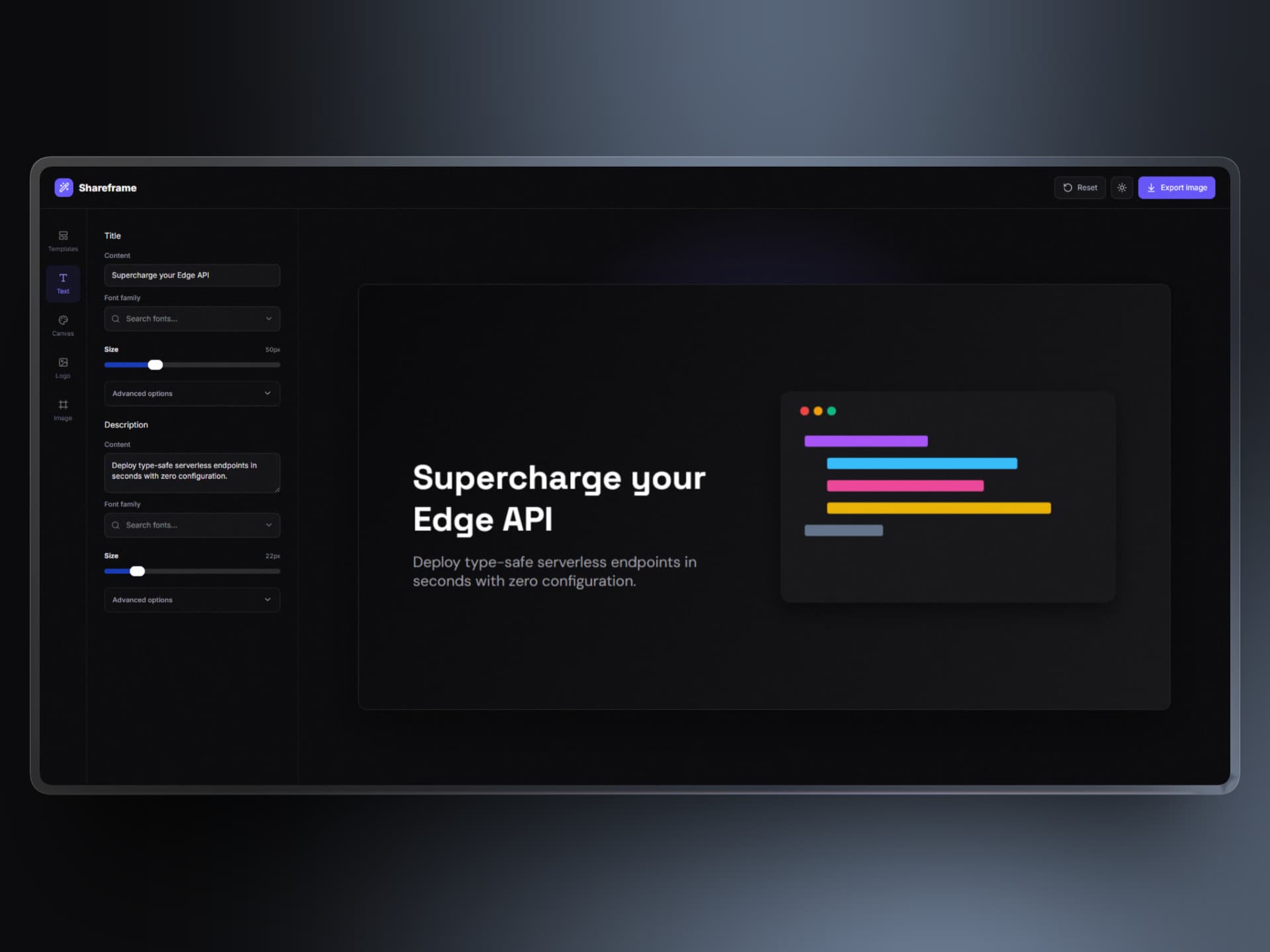
Over the last few days, I used AI agents to help me put together a lightweight Cloudflare Worker app called Shareframe. Using AI agents made it easy to skip the tedious setup and just focus on making the UI fast and straightforward.
The idea is simple. You type your text, tweak the theme in the sidebar, watch the preview update, and save a clean PNG. That is really all there is to it.
Keeping It Free and Open
I originally made this just to speed up my own client deliveries, but I figured other developers might find it useful too.
It is 100% free to use, and the code is completely open source on GitHub. There are no watermarks, no signups, and no paid tiers.
Since I am sharing this publicly, I would love to hear what you think. If there is a particular font, layout, or feature you would like to see added, drop an issue on the GitHub repo or just let me know on X!
You can try it out at shareframe.ohwire.xyz. Hopefully it saves you a bit of time on your next client project too.